What players say
Crash Test Simulator 3D Online offers a wide range of modes and cars, giving plenty of variety for short or long play sessions. The ability to switch between day and night, fix cars, and change cameras adds depth. It is easy to pick up and offers good replay value for those who enjoy creative driving challenges.
About this game
Game Introduction
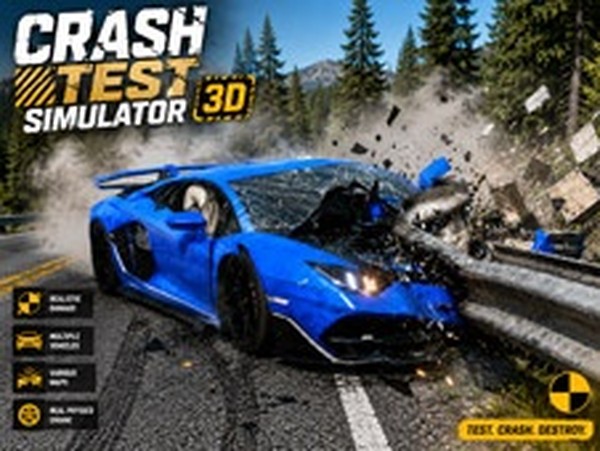
Crash Test Simulator 3D is a driving and simulation game where players explore different environments to creatively crash cars. The game offers multiple modes, each with a unique setting such as a junkyard-like crash course, an airport ramp, a training area, a city highway, and a stunt zone. Players can switch between various car types, including sports cars, SUVs, and sedans, and experience day or night conditions. The core objective is to drive into obstacles like ramps, hammers, walls, crushers, and moving iron balls, while managing car damage and repairs. This game provides a safe, family-friendly way to enjoy car crashes without real-world consequences.
How to Play
To play, first select a mode from the main menu and choose between day or night settings. Use the on-screen controls to drive your car. In most modes, a timer counts down, but you can pause it using a button or icon. Drive into various obstacles such as ramps, hammers, walls, crushers, and loops to cause crashes. In City mode, you drive freely on a highway and can crash into other cars to create chain accidents. You can switch between different cars at any time during gameplay. If your car gets damaged, use the repair feature to fix it. Adjust the camera angle for a better view of the action.
Game Features
Multiple gameplay modes including Crash Test, Airport, Training, City, and Stunt. Day and night settings available for each mode. Several car types to choose from, such as sports cars, SUVs, and sedans. Adjustable camera angles for different perspectives. Car repair feature to fix damage after crashes. Timer control to pause the countdown in certain modes. Free to play and optimized for mobile devices and tablets. 3D graphics provide an immersive driving and crashing experience.
Tips for Success
Experiment with different modes to find your favorite style of play. Use the camera controls to get the best view of obstacles and plan your route. Repair your car frequently to avoid getting stuck with a heavily damaged vehicle. Try switching between cars to see which handles best for each mode. Practice in Training mode to learn the layout of all obstacles and features. Use the timer pause feature to take your time planning your crashes. In City mode, aim for large chain accidents by crashing into groups of cars.