Core Gameplay Loop
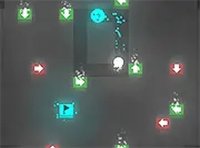
Players control a crosshair that moves across the screen, marking where the next sphere will land. The goal is to drop each sphere so it rests on top of the previous one, forming a stable tower or bridge. The safe zone, shown as a glowing outline, shrinks after every mistake, making each subsequent placement more difficult. This simple loop creates a satisfying rhythm of aim, release, and react.
Visual Feedback & Controls
The game uses bright, saturated colors for each sphere, with subtle particle effects on successful placements. On desktop, the mouse cursor acts as the aiming reticle; on mobile, a tap places the sphere at the touched point. The interface is clean, with only the score and remaining safe zone displayed. A full-screen button is available for an unobstructed view.
Difficulty Progression
Early rounds offer a generous safe zone, allowing players to get comfortable with the timing. As the score increases, the safe zone shrinks more rapidly after errors, and the spheres appear slightly faster. This gradual ramp means newcomers can learn at their own pace, while experienced players face a genuine test of steadiness. There are no lives or continues; one misplaced sphere ends the run.
Session Design & Accessibility
Each game session is short, typically lasting a few minutes, making it ideal for quick breaks. The rules are explained entirely through the interface, so no reading is required. Colorblind-friendly options are not explicitly stated, but the high contrast between spheres and background aids visibility. The game works on any modern browser without plugins.



Comments
0 comments